

If your Wi-Fi feels great next to the access point but falls apart two rooms away, the problem often isn’t the access points. It’s what connects them.
That connection is the Wi-Fi backhaul, the link between your router (or core switch) and each access point (AP) or mesh node. Think of it like the roads behind a busy shopping street. The storefronts can be gorgeous, but if the loading dock has one narrow driveway, everything slows down.
In 2026, with multi-gig internet, Wi-Fi 6E, and Wi-Fi 7 spreading fast, backhaul choices matter more than ever, especially in multi-floor units, detached leasing offices, and properties with detached garages or ADUs.
What “Wi-Fi backhaul” really means (and what to plan for in 2026)
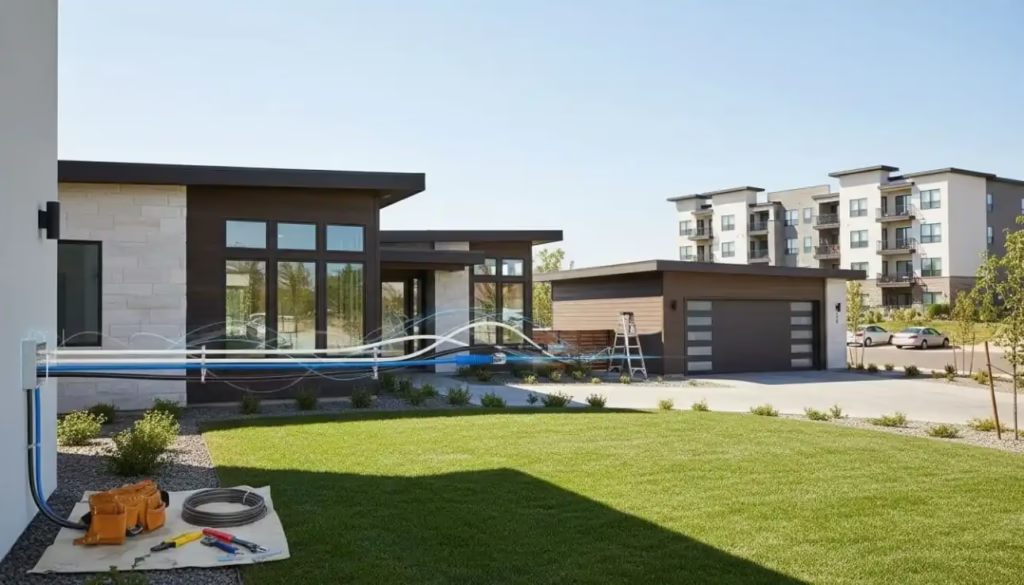
Backhaul is the “uplink” that feeds each AP. It can be wired (Ethernet, fiber, coax via MoCA) or wireless (mesh using radio links). When the backhaul is weak, every device suffers, even if your phone shows full bars.
A few quick terms that help when you’re planning:
- MoCA (Multimedia over Coax Alliance) turns existing coax TV cables into a fast, wired network path.
- PoE (Power over Ethernet) sends power and data on one Ethernet cable, which is why ceiling-mounted APs are often easy with one run.
- VLAN (Virtual LAN) is a way to split one physical network into separate logical networks, useful for “staff vs guest” Wi-Fi or isolating smart devices.
For modern properties, set realistic goals:
- If you expect 1 to 5 Gbps internet, your backhaul should not cap you at 1 Gbps everywhere.
- If you care about video calls, gaming, or voice, prioritize low latency and consistency, not just speed.
- If you’ll add cameras, door controllers, or more APs later, choose something you can expand cleanly.
Mesh can work well, but wired backhaul is still the easiest path to predictable performance. For a good plain-English explanation of how wired and wireless backhaul differ in practice, see RTINGS’ wired vs wireless backhaul guide.
Backhaul options compared (fiber vs Ethernet vs MoCA vs wireless mesh)
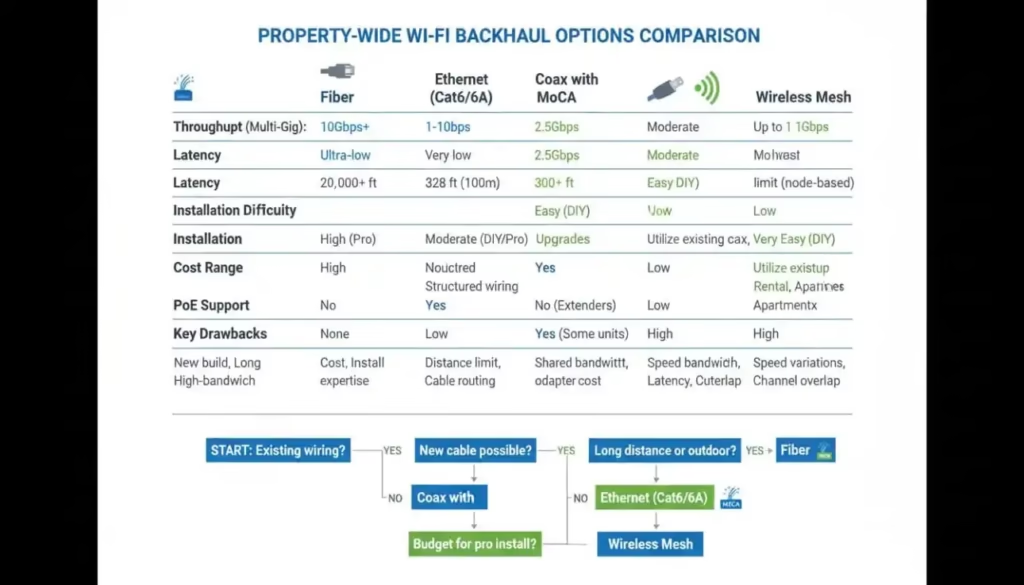
Here’s a practical comparison using typical ranges. Real results depend on cable quality, layout, interference, and hardware.
| Backhaul type | Typical real-world throughput | Latency feel | Practical max run | PoE support | Best fit | Common gotchas |
|---|---|---|---|---|---|---|
| Fiber | Multi-gig to 10G+ | Excellent | Long (hundreds of meters+) | No (power needed at each end) | Detached buildings, long runs, electrical isolation | Needs transceivers/media converters, careful termination |
| Ethernet (Cat6/Cat6A) | 1G to 10G (distance dependent) | Excellent | 100 m (328 ft) per run | Yes | Most units, offices, APs, cameras | Hard pulls in finished walls, outdoor protection needed |
| Coax (MoCA) | Often 1G to 2.5G | Very good | Varies by coax plant | No | UNits with existing coax in key rooms | Splitters, amps, old RG59, coax “mystery wiring” |
| Wireless mesh (wireless backhaul) | Highly variable | Variable | Room-to-room | N/A | When you can’t run cable | Each hop costs capacity, interference, placement sensitive |
A key point: wireless mesh backhaul is “shared air.” When a node uses Wi-Fi to talk back to the main node, it competes with client devices for airtime. Some systems use extra bands (like 6 GHz) to reduce that pain, but walls and distance still win. The Wi-Fi Alliance notes that EasyMesh can work with other backhaul types too, including wired links, which is why mixed designs are common now (wired where you can, wireless where you must). See Wi-Fi Alliance guidance on EasyMesh backhaul links.
Ethernet backhaul: the default choice for most properties
If you can run Cat6 or Cat6A to each AP, do it. You get stable multi-gig potential, low latency, and PoE power in one cable. For Wi-Fi 6E and Wi-Fi 7 APs, 2.5 GbE uplinks are common, so plan switch ports accordingly.
Ethernet also plays nicely with VLANs, which matters in small offices, mixed-use buildings, managed Wi-Fi, and shared amenity Wi-Fi.
MoCA over coax: great when coax is already in the right places
MoCA is the “make it wired without opening walls” option. If your property has coax to the units where you want APs, MoCA can be a strong backhaul. The MoCA Alliance has a clear primer on how it supports Wi-Fi backhaul, including why it helps keep Wi-Fi spectrum free for devices, see MoCA for Wi-Fi backhaul basics.
MoCA shines in rentals and retrofits, but only if the coax plant is clean.
Fiber backhaul: when distance and safety matter more than convenience
Fiber is ideal for detached garages, ADUs, gatehouses, and long hallway runs where copper gets risky or hits limits. It’s also non-conductive, which helps with electrical isolation between buildings. If you’re trying to understand “fiber backhaul” in plain terms, this fiber backhaul reference guide gives good context.
Fiber usually means you’ll need a small switch or media converter at the far end, plus a way to power the AP there.
Wireless mesh backhaul: quick installs, but real penalties
Wireless backhaul is attractive because it’s fast to deploy and doesn’t need drilling. The tradeoff is performance that changes with walls, neighbors, and placement. Every extra hop can cut usable throughput and add latency, especially on busy 5 GHz channels. RTINGS has hands-on testing that shows how mesh backhaul hits limits in real homes, see measuring mesh backhaul range and limits.
If you go wireless backhaul, fewer nodes placed well usually beats many nodes placed “wherever there’s an outlet.”
A simple decision tree (plus edge cases people miss)
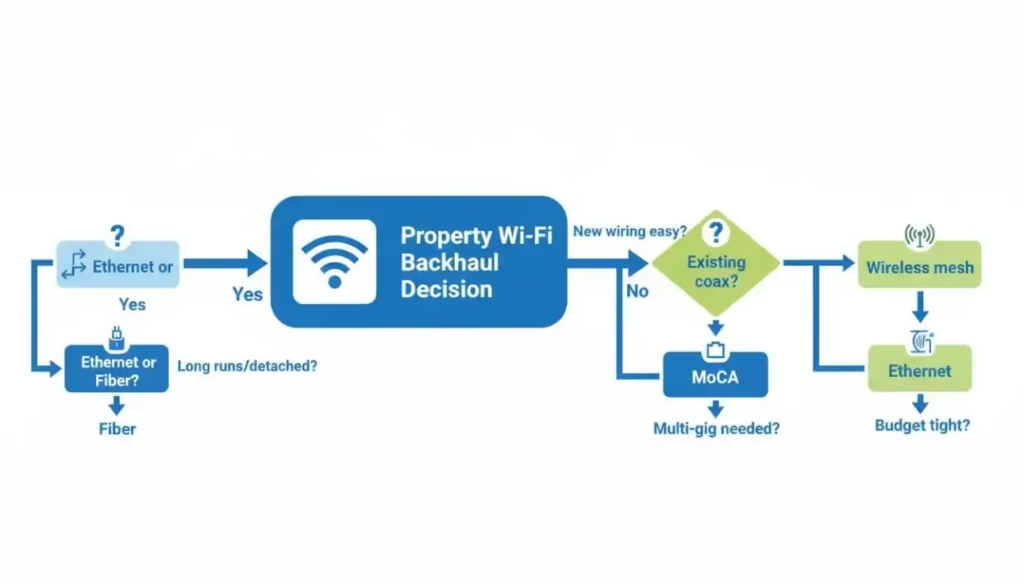
Use this quick path to pick a direction:
- Can you run new cable to each AP location
If yes, run Ethernet (Cat6 or Cat6A). Use PoE to simplify installs. - Do you need to reach a detached building or a run near the 100 m Ethernet limit?
If yes, prefer fiber, especially outdoors or between structures. - Can’t run new cable, but you have coax in the right rooms?
Use MoCA for a wired backhaul without opening walls. - No usable wiring and drilling isn’t an option?
Use wireless mesh, and keep nodes close enough to hold a strong backhaul link.
Now, the edge cases that cause most “why is this slow?” tickets:
- Old RG59 coax: MoCA often works best on RG6. RG59 can be lossy, especially with many splitters or long runs. Results vary, so test before you commit.
- Splitters and amps: Many legacy TV splitters aren’t MoCA-friendly. Some amplifiers block MoCA frequencies entirely. Plan to replace splitters or rework the coax tree if needed.
- DOCSIS coexistence (cable internet): If your modem uses coax, MoCA can usually coexist, but layout matters. A MoCA point-of-entry filter and clean splitter topology help reduce issues and keep signals where they belong.
- Mesh “wireless backhaul” penalties: If you place a node where your phone barely gets Wi-Fi, that node will also struggle to send traffic upstream. It’s like putting a warehouse at the end of a washed-out road.
Safety notes for outdoor runs and when to call a pro
Outdoor cabling isn’t just “indoor cable, but longer.” UV exposure, water, and lightning risk are real.
- Use outdoor-rated cable or conduit, follow local code, and avoid sharing conduits with high-voltage lines.
- Between buildings, consider fiber to reduce lightning and ground potential risks.
- If you’re trenching, bonding, or working near an electrical panel, a licensed low-voltage installer or electrician is worth the cost.
A strong property-wide Wi-Fi setup starts with a backhaul that matches the building, not just the router. Ethernet is the best all-around pick when you can run it, MoCA is a smart shortcut when coax is already there, fiber is the clean answer for long or outdoor links, and wireless mesh is the fallback when wiring isn’t practical.
If you’re unsure, pick one “hard” area (top floor, far wing, detached garage) and design the Wi-Fi backhaul for that spot first. Everything else gets easier after that.
Let's talk multifamily tech.
I consult independently with apartment operators on managed Wi-Fi, smart building infrastructure, and technology strategy. If you're evaluating vendors, planning a deployment, or just need a second opinion — I'm happy to have a conversation.
Get in touch →No pitch. No obligation. Just a straight conversation.