
The Independent Operator's Guide to Smart Building Technology
Most vendors selling access control for apartment buildings will tell you that their system is perfect for your property. What they won’t tell you is that it was built for someone else — a national REIT, a Class A portfolio, a developer with a dedicated IT team. If you’re running 50 to 200 units independently, you’re often looking at products designed for an operation ten times your size, priced and supported accordingly.
Table of Contents
That’s the problem this guide addresses. Independent operators and small portfolio owners deserve the same quality of guidance that enterprise buyers get — without the vendor spin. By the end of this post, you’ll know what access control actually covers in a multifamily context, how to evaluate the vendors you’ll meet, what gets left out of most sales pitches, and which questions to ask before you sign anything.
This is Post 1 of a three-part series on smart building infrastructure. Post 2 covers smart locks vs. smart access control — a distinction that trips up a lot of buyers. Post 3 covers package management as a resident retention lever. The three posts are designed to be read together, but each stands alone.
What Access Control Means in Multifamily — and What It Should Cover at Your Property
Access control is the system that manages who can enter your property, which spaces they can access, and when. In multifamily, that scope is broader than most operators initially expect. It’s not just the front door.
Depending on your property layout, access control may span:
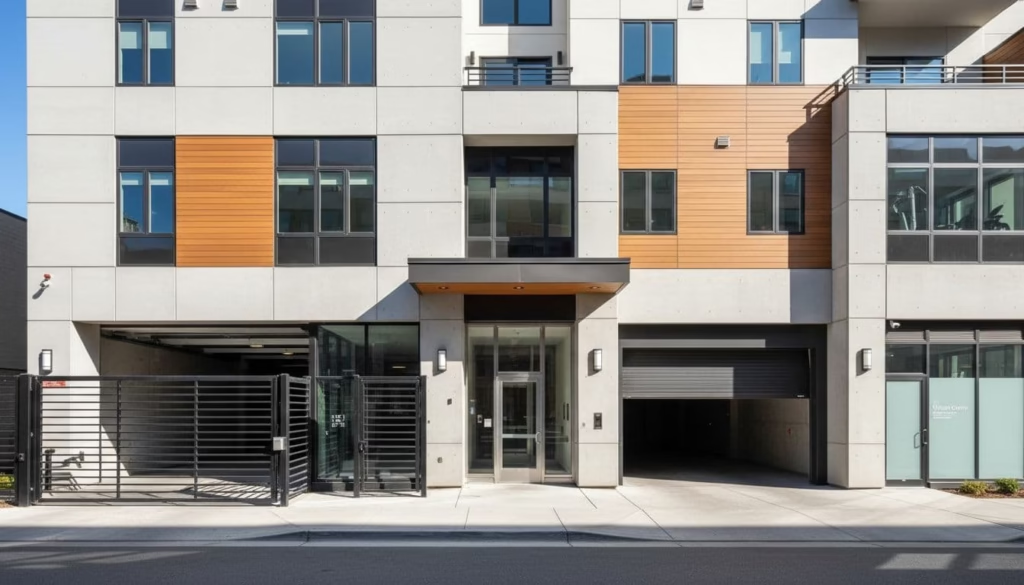
- Perimeter and vehicle gates
- Pedestrian entries and main building doors
- Garage access
- Amenity spaces — fitness centers, pools, coworking rooms, package rooms
- Staff-only areas — maintenance storage, leasing offices, mechanical rooms
- Unit doors (more on this below)
That last category — unit doors — is worth separating out. Smart locks bring their own hardware decisions, software considerations, and cost structure. They’re covered in depth in Post 2. For this guide, the focus is on building-level and amenity-level access: the infrastructure that affects every resident every day, and the category where most smaller operators have the clearest, most immediate need.
Start Where the Pain Is, Not Where the Demo Starts
Vendors will often walk you through a full-property vision on a first call. Resist the pull to buy that vision before you’ve validated it against your actual pain points.
Most properties under 200 units have two or three access points that drive the majority of complaints, security incidents, and staff workload. A vehicle gate that residents prop open. A fitness center with no enforcement after hours. A building entry that maintenance has to physically respond to for deliveries. Start there. Fix what’s actually broken first, then expand if the system earns it.
Cloud-Managed vs. On-Premise: What the Choice Actually Means for a Lean Team
Cloud-managed access control means the vendor hosts the software, pushes updates, and gives your team a web dashboard or app to manage users, credentials, and schedules. For most operators under 200 units — especially those without in-house IT — this is the right default. Your team can handle common changes without touching hardware, and you’re not carrying the maintenance burden of a local server.
On-premise systems offer more control and can work independently of internet connectivity, but they put more technical burden on your team or local installer. Unless you have a specific reason to go on-premises (e.g., unusual network constraints or a high-security requirement), the operational trade-off rarely favors it at this scale.
Either way, understand what happens when your internet goes down. Most cloud-managed systems have offline fallback behavior — stored credentials at the reader level — but the specifics vary by vendor and hardware. Ask before you buy.
How the Vendor Landscape Breaks Down for Smaller Multifamily Operators
The access control market is large and fragmented. Understanding the categories of sellers you’ll encounter makes the buying process significantly less confusing.
Enterprise-Focused Platforms
Many of the largest names in access control — Genetec, Lenel, Honeywell, Software House — built their products for commercial real estate, corporate campuses, and large institutional portfolios. They offer deep feature sets and broad hardware compatibility, but their pricing models, implementation complexity, and support structures are calibrated for organizations with dedicated security or IT teams.
These platforms aren’t wrong — they’re just sized for a different buyer. An operator with 150 units will often find that these systems require more integration work, more specialized installers, and more ongoing IT support than the property can realistically sustain.
Multifamily-Specific Vendors
A growing category of vendors has built explicitly for the residential multifamily workflow. Names like Brivo, Salto KS, ButterflyMX, Latch, and Allegion (Schlage) have products that handle the resident lifecycle — move-in provisioning, lease-based access, amenity scheduling, guest management — in ways that commercial platforms often don’t.
These vendors vary significantly in pricing, hardware flexibility, installer networks, and PMS integration depth. They’re worth shortlisting, but don’t assume multifamily-specific means plug-and-play. Vet them against the same criteria you’d apply to anyone else.
PMS-Native Modules
Some property management software platforms have developed their own access control modules or tight integration partnerships. Yardi and RealPage both have access-adjacent features in their ecosystems. The appeal is obvious: fewer vendors, fewer logins, a single data relationship.
The trade-off is that PMS-native access modules are often narrower in hardware support and feature depth than dedicated access platforms. They can work well for operators who want simplicity and are already deep in a PMS ecosystem. They tend to struggle when a property has edge cases — unusual hardware requirements, complex amenity structures, or multi-phase deployments.
Hardware-First vs. Software-First Vendors
This distinction matters more than most buyers realize. Hardware-first vendors lead with readers, panels, locks, and installer relationships. Their strength is usually in field deployment and device compatibility. Software-first vendors lead with dashboards, remote management, and workflow design — and they may support a narrower hardware stack.
Neither is inherently better. A lean, self-managed property often values a great software experience over hardware optionality. A property with a complex physical layout may need the hardware depth. Know which axis matters more for your situation before you start demos.
The Buying Criteria That Matter Most When You Don’t Have a Big Budget or IT Team
The best access control system for your property is not the one with the longest feature list. It’s the one you can afford, operate without outside help, and get supported on after go-live.
Total Cost of Ownership — Not Just the Upfront Quote
A competitive quote can still hide a high cost. Hardware and installation are the visible numbers. The real cost picture includes:
- Monthly or annual software licensing fees
- Per-credential or per-door fees
- Service call rates and response time guarantees
- Hardware warranty terms and replacement part costs
- Training and onboarding time
- Expansion cost — what does adding one door or gate cost next year?
A lower hardware cost can still produce a higher total cost if the platform charges high recurring fees, locks you into annual service agreements, or bills for every minor configuration change. Run the math across three to five years, not just year one.
What Does PMS “Integration” Actually Mean?
| What ‘Integration’ With Your PMS Actually Means |
| At a minimum: a nightly or near-real-time sync of resident records — names, unit numbers, lease dates. |
| At the better end: automated credential provisioning at move-in, automatic deprovisioning at move-out, and amenity access rules tied to lease terms. |
| What’s almost never automatic: roommate changes, transfer between units, failed syncs, and exception handling. |
| Ask which PMS platforms and versions are supported — not just ‘Yardi’ but which Yardi product and which version. |
| Ask who owns the problem when the sync breaks. The answer reveals a lot about how the vendor operates. |
| Ask for a live workflow walkthrough — move-in, transfer, move-out, failed record — not a slide deck. |
If the rep can’t explain the sync in plain English, the integration probably won’t feel simple when you’re running it at midnight on a move-out weekend.

Resident Experience and Day-to-Day Staff Usability
Good hardware doesn’t save bad software. The resident-facing experience — how the gate opens, how guest passes work, how a lost credential gets resolved — shapes your online reviews and renewal decisions more than the spec sheet.
For your team, the test is speed. Can a staff member issue a fob in two minutes? Can they revoke access from a phone at 9pm without calling support? Can they see who accessed the pool after hours and pull that report without a tutorial?
Mobile credentials reduce fob headaches, but don’t assume phone-only is the right call for every resident. Most properties under 200 units need a mix of mobile, fob, PIN, and staff badge options. A system that forces one credential type will create friction somewhere.
How Much Can You Manage Without an Installer?
This is the question most operators don’t ask early enough, and regret later. Some platforms give your staff genuine self-service: add users, revoke access, change schedules, pull reports, swap a reader. Others route every change through the vendor’s support team or a local installer — and charge accordingly.
Find out who your local installers are before you commit to a platform. Ask for named partners, check their reviews, and ask the vendor what the normal response time is for a service call in your market. A failed reader at 8pm on a Friday is a real scenario. Know what happens before you’re living it.
Contract Terms — Treat These Like Part of the Product
Minimum contract length, auto-renewal language, annual price escalation clauses, and exit fees all shape the total risk of a buying decision. An operator who locks into a three-year deal with weak support and no clean exit path has made a much more expensive purchase than the quote suggested.
| If leaving the platform is painful, that pain belongs in your buying decision today — not after you’ve signed. |
Ask specifically: if you cancel the subscription, can you still use the hardware? What data can you export, and in what format? What’s the notice period? What fees apply? These aren’t legal details — they’re long-term risk.
Common Mistakes Smaller Operators Make When Buying Access Control for Apartment Buildings
Buying for a Future Portfolio That Doesn’t Exist Yet
Enterprise-tier flexibility sounds appealing. In practice, paying enterprise pricing for a 90-unit property because you might acquire three more assets destroys your return on investment today. Buy for the property in front of you. If you grow, you can revisit — but most access control platforms are more portable than the vendor implies.
Assuming the Integration Is Plug-and-Play
Even real, well-documented integrations require setup, field mapping, edge case testing, and someone who knows both systems. A sync that works 95% of the time still leaves the other 5% in a manual queue — and that 5% usually involves your most complex residents and situations. Build this expectation in before go-live, not after.
Evaluating Hardware Without Fully Vetting the Software
Hardware is easy to demo. You can see the reader, test the gate, and feel the build quality. Software is what your team lives in every day — adding users, pulling reports, managing exceptions, and fielding resident complaints. Don’t make a hardware-first decision and discover the software on week two.
Ignoring Local Installer Coverage
A well-regarded platform with no qualified installers in your market is a support problem waiting to happen. Verify installer coverage before you’re deep in the evaluation. Ask the vendor for named local partners and check those partners’ availability independently.
Not Asking About Exit Terms
What happens to the hardware if you cancel? Can you use a different software platform on the same readers? What’s the data export process? These questions feel like end-of-relationship details, but the answers reveal a lot about how the vendor thinks about the relationship overall.
The Questions Every Property Under 200 Units Should Ask Before Signing
You don’t need a procurement department to vet a vendor. You need a short list of direct questions that expose weak spots fast. These are the ones worth asking on every call:
| Vendor Questions Worth Asking on Every Call |
| What’s included in this quote, and what costs typically show up later? (Ask them to break out software, installation, credentials, training, warranty, and service calls.) |
| Walk me through a move-in, a transfer between units, and a move-out — what’s automatic, and what requires manual steps? |
| What can my onsite team change on their own, without calling your support or an installer? (Push on: adding users, revoking access, changing schedules, pulling reports.) |
| Who installs and services this system in my market, and what’s the typical response time for a service call? |
| If I cancel the subscription, what happens to the hardware, and what data can I export? |
| What does your offline behavior look like — if my internet goes down, what still works? |
| What PMS platforms do you integrate with, which version, and who owns the problem when the sync breaks? |
Getting Access Control Right at Your Property
Independent operators have real options when it comes to access control for apartment buildings. The market has moved meaningfully toward multifamily-specific platforms in recent years, and you no longer have to choose between an enterprise system that’s overkill and a basic intercom that solves nothing.
The operators who get this right aren’t the ones who bought the most sophisticated system. They’re the ones who bought the right system for their actual property — one their team can run, their residents can use without frustration, and their budget can support over a three-to-five year horizon.
Start with the access points that cause the most friction today. Vet the total cost of ownership, not just the quote. Pressure-test the PMS integration before you sign. Check your local installer coverage. And read the exit terms before you’re in a contract you can’t leave.
| Up Next in This Series |
| Post 2: Smart Locks vs. Smart Access — They’re Not the Same Thing. Once you understand building-level access control, the next question is unit doors. Most operators conflate smart locks with smart access systems — and that confusion leads to budget surprises and integration headaches. Post 2 clears it up. |
| Post 3: Package Management Is a Resident Retention Issue — Here’s the Tech Landscape. The entry experience doesn’t end at the building door. Post 3 covers the package management technology options available to smaller operators, and why getting this right is a renewal lever, not just a logistics fix. |
Let's talk multifamily tech.
I consult independently with apartment operators on managed Wi-Fi, smart building infrastructure, and technology strategy. If you're evaluating vendors, planning a deployment, or just need a second opinion — I'm happy to have a conversation.
Get in touch →No pitch. No obligation. Just a straight conversation.